Cybersecurity
Discover practical advice and essential information on cybersecurity. Learn how to protect your devices, data, and online activity from threats like malware, phishing, and ransomware. Ideal for individuals and small businesses looking to stay safe in a connected world.
Tax Time Scams: How to Tell a Real ATO or myGov Message From a Fake One
In one line: tax time 2026 has brought a fresh wave of fake ATO and myGov messages, and the safest move is to never click a link in one — go straight to the ATO app or website instead. What’s Actually Happening On 26 June 2026, Scamwatch and the Australian Taxation Office issued a fresh […]
The “You Bought Something” Text Doing the Rounds Right Now
In one line: if you get a message saying you just bought something expensive and that you must call a number urgently to stop it, don’t call — it’s almost certainly a scam. What This Scam Looks Like Australia’s National Anti-Scam Centre issued a fresh warning on 14 July 2026 about a wave of “fake […]
Windows 10 Support Has Ended: What It Means for Your Security
Microsoft ended free support for Windows 10 on 14 October 2025. That means no more free security patches unless you take one of the actions below. In short: home users can get free protection until October 2027, but business PCs need a different, paid arrangement. Here’s exactly what applies to you. Why This Matters When […]
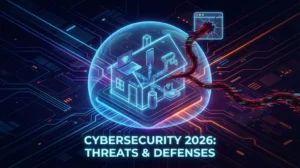
Cybersecurity in 2026: Why Your “Gut Instinct” Is No Longer Enough
In 2026, spotting scams isn’t about finding typos anymore. Discover how AI phishing, deepfake voice cloning, and malicious browser extensions have changed the rules of online safety, and the practical steps you need to take to protect your home.

2025 Tech Recap: The Year Everything Got Faster, Smarter, and More Critical
It’s hard to believe we are already staring down the barrel of 2026. Looking back, 2025 wasn’t just another year of iterative product releases; it was a year where the “pipes” and “platforms” of our digital lives underwent a fundamental structural transformation. From the retirement of the world’s most popular operating system to a legislative […]

Do Google and Meta Really “Listen” to You?
Have you ever had a casual chat about something—say, needing a new pair of boots or thinking about a holiday—only to see an ad for it on Facebook or Google the same day? You didn’t search for it. You didn’t type anything. Just a conversation… and suddenly, it’s in your feed.
Coincidence? Possibly. But many people don’t think so—and they’re not wrong to be suspicious.

Smarter Online Habits: Underused Tips for Staying Safe Online
When it comes to internet safety, most guides talk about antivirus software, strong passwords, and two-factor authentication. While these are important, they only scratch the surface.
For Australians who want to go further—without needing to be tech-savvy—here are some less-talked-about yet highly effective practices to improve your digital safety and privacy.
Using Public Wi-Fi Safely in Australia: What You Need to Know
From airports and cafés to shopping centres and public libraries, free Wi-Fi is everywhere. It’s convenient and saves your mobile data—but is it safe?
Unfortunately, unsecured public Wi-Fi networks can pose serious security risks. Cybercriminals often target these hotspots to intercept your data, steal your passwords, or even access your private information.
Here’s what every Aussie should know about using public Wi-Fi safely.
How to Check If Your Information Has Been Leaked Online
It’s a scary thought—but your personal details might already be floating around on the dark web, available to scammers and hackers. With the growing number of data breaches affecting Australians, it’s more important than ever to know how to check if your private info—like your email, passwords, or even Medicare details—has been leaked.
Thankfully, there are simple tools and steps you can take to stay informed and protected.
How to Create Strong, Easy-to-Remember Passwords
Passwords are the keys to your digital life—your bank accounts, email, social media, and more. Yet, too many Australians still use weak passwords like “123456” or “password1”. Even worse, many reuse the same password across multiple sites, making it easy for cybercriminals to break in once they’ve cracked one account.
But creating strong passwords doesn’t have to be hard. In fact, with a few tricks and the right tools, you can make secure passwords that are both strong and easy to remember.